Downloads
Latest Downloads
| Date | Title |
|---|---|
| 16-09-2023 | EzyCellar Pro - Chile |
| 04-02-2020 | EzyWine Pro - South Africa |
| 04-02-2020 | EzyCellar Pro - South Africa |
| 12-06-2019 | EzySpirit Pro - Australia |
| 24-05-2019 | EzyCellar Pro - Australia |
All Downloads
Click on a heading to expand each download category.
- 25-09-2017EzyAuction 2017.02 Upgrade Newsletter
- 22-09-2017EzyAccounts 2017.02 Upgrade Newsletter
- 22-09-2017EzyWine 2017.02 Upgrade Newsletter
- 30-06-2017Australian Payroll 2017 Tax Tables
Download and install the Tax Tables:
- Click the link to download the tax database table.
- Save or move this file to the 'foxfxp' folder on your Ezy server.
IMPORTANT
After this has been completed, go to each data base "Payroll Administration - Payroll Tax Table Maintenance" and select IMPORT. - 23-05-2017EzyAuction 2017.01 Upgrade Newsletter
- 19-05-2017EzyAccounts 2017.01 Upgrade Newsletter
- 11-05-2017EzyWine 2017.01 Upgrade Newsletter
- 11-04-2017New Zealand Payroll 2016 Tax Tables
Download and install the Tax Tables:
- Click the link to download the tax database table.
- Save or move this file to the 'foxfxp' folder on your Ezy server.
IMPORTANT
After this has been completed, go to each data base "Payroll Administration - Payroll Tax Table Maintenance" and select IMPORT. - 23-02-2017Backpackers Tax Table
Example of 'Working holiday makers' tax table. More info available at:
- 17-10-2016EzyAuction 2016.02 Upgrade Newsletter
- 04-10-2016EzyWine 2016.02 Upgrade Newsletter
- 04-10-2016EzyAccounts 2016.02 Upgrade Newsletter
- 15-09-2016EzyWine Pro Overview
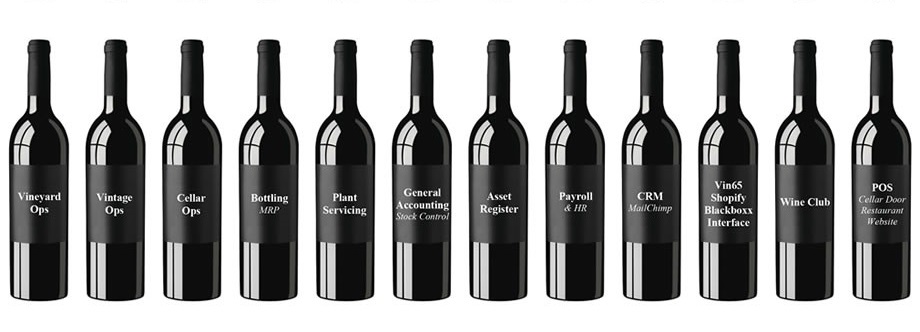
Ezy Systems spent the next 18 years focusing on data capture and reporting requirements of users by addressing their needs in the vineyard, weighbridge, winemaking, bottling, plant servicing, general accounting, payroll, asset register, POS and Wine Club. There are now over 3,000 users!
In 2010 the Directors, Nick Cugura and Peter Ellis, decided that it was time to upgrade the appearance and general navigation of EzyWine. Microsoft Visual Basic (VB.NET) and SQL were to be used to develop EzyWine.NET.
Clients will be provided with the Desktop Edition of MS SQL free of charge.Senior Analyst Programmer, Donna Dimaano, was appointed Project Leader in 2011 and her team has grown to 9.
This document will be periodically updated with the latest .NET news and is available on the website, www.ezysys.com.au, What’s New page, which can also be accessed from the What’s New tab from within EzyWine. - 30-05-2016EzyWine 2016.01 Upgrade Newsletter
- 03-05-2016EzyAuction 2016.01 Upgrade Newsletter
- 26-04-2016EzyAccounts 2016.01 Upgrade Newsletter
- 20-11-2015EzyWine 2015.02 Upgrade Newsletter
- 20-11-2015EzyAccounts 2015.02 Upgrade Newsletter
- 20-11-2015EzyAuction 2015.02 Upgrade Newsletter
- 06-11-2015EzyWine 2015.02 Upgrade Newsletter (Front Page)
- 05-06-2015EzyWine 2015.01 Upgrade Newsletter
- 05-06-2015EzyAccounts 2015.01 Upgrade Newsletter
- 05-06-2015EzyAuction 2015.01 Upgrade Newsletter
- 18-12-2012eParcel Web Training Notes
- 30-06-2011EOM & EOY Procedures
- 20-03-2008Setting up Kiwi Saver Compulsory Employer Contributions
- 16-09-2023EzyCellar Pro - Chile
- 04-02-2020EzyWine Pro - South Africa
- 04-02-2020EzyCellar Pro - South Africa
- 12-06-2019EzySpirit Pro - Australia
- 24-05-2019EzyCellar Pro - Australia
- 24-05-2019EzyCellar Pro - New Zealand
- 24-05-2019EzyWine Pro - Australia
- 24-05-2019EzyWine Pro - New Zealand
- 24-05-2019EzyAccounts Pro - Australia
- 24-05-2019EzyAccounts Pro - New Zealand